
My Thoughts on the FitBit Air - From Someone Who's Never Used a Fitness Tracker
This site utilizes Google Analytics, Google AdSense, as well as participates in affiliate partnerships with various companies including Amazon. Please view the privacy policy for more details.
Since it was just released, there’s been a lot of press and blog posts around the web about the new screenless Google Fitbit Air. I’m here to add a bit to the noise.
I’ve never used a Fitness Tracker before outside of just my smartphone. I’ve been curious about what they offer, but I didn’t want the distraction of constant notifications.
There’s a number of screenless devices now - name brand ones such as Whoop and the Polar Loop, more affordable ones such as the Amazfit Helio Strap. Heck, there’s a whole slew of off-brand trackers if you search screenless fitness tracker on Amazon. And I even hear Garmin is coming out with one.
So why did I choose Fitbit over any other brand? Mostly because my wife uses a Fitbit - she has a Fitbit Charge 6 - so becoming familiar with the Fitbit ecosystem should make it easier for me to help her if she runs into issues.
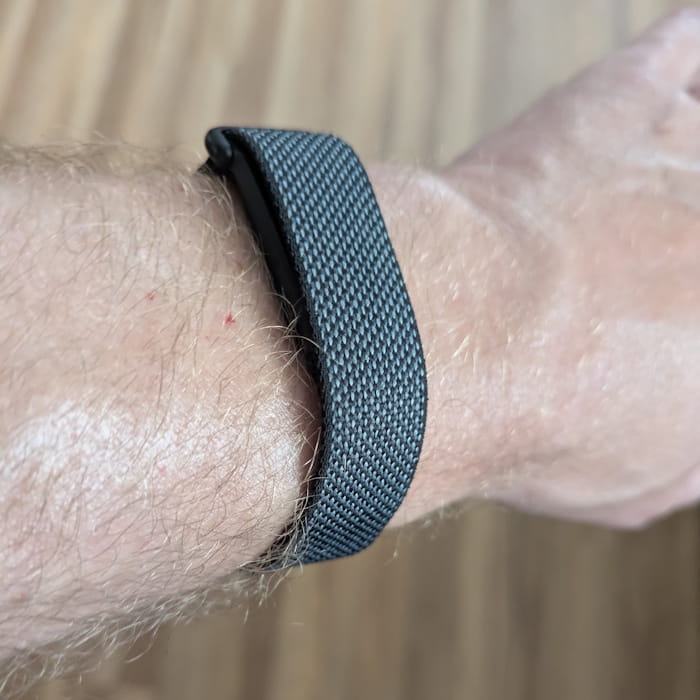 Picture of the Google Fitbit Air on my wrist
I’ve been wearing my Fitbit Air for a day now, so here’s my first impressions:
- I wear a regular wrist watch (currently a black Casio) on my non-dominant side, so I wear the Fitbit on my dominant wrist. I’m left-handed, so that means I’m wearing the Fitbit on my left wrist.
- I thought some of the measurements - like SpO2 - would be real-time or at least I would be able to view right away. Instead, they are measured while you sleep, so I had to wait a day before I could see them.
- I also thought I could use the Fitbit Air as a heart rate monitor with my MapMyFitness runs, but apparently you cannot. I’ll have to continue using the Powr Labs Bluetooth Heart Rate Monitor if I want to measure my heart rate when I run. It’s a bit deceiving because MapMyFitness can “see” the Fitbit Air when trying to add a heart rate monitor, but selecting it just dismisses the dialog.
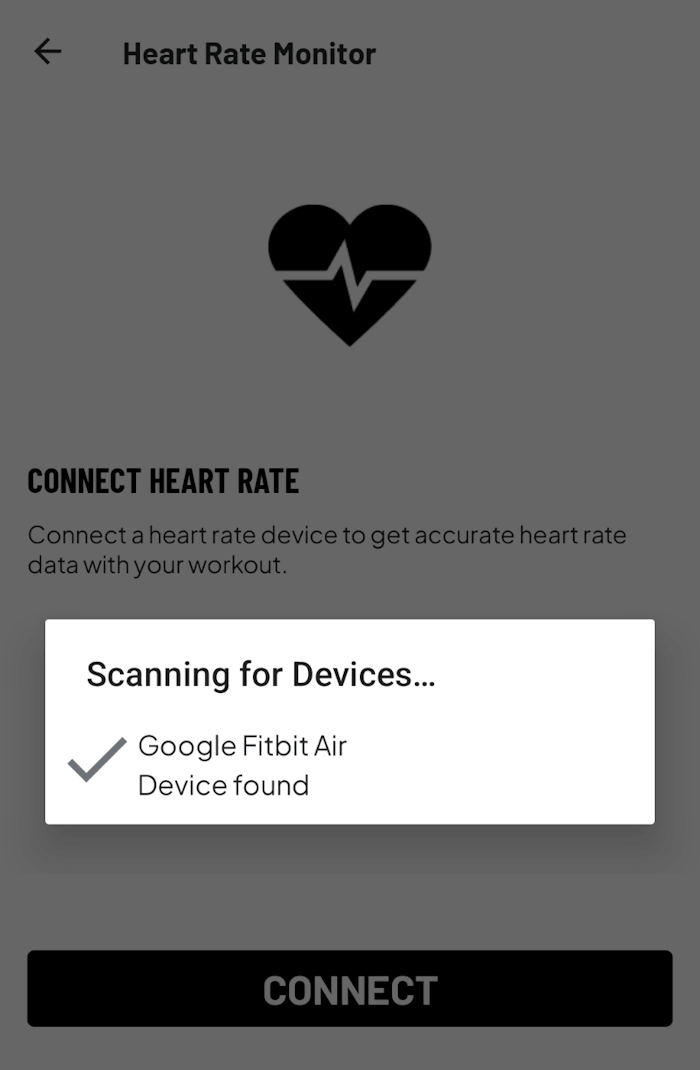 MapMyFitness “seeing” the Fitbit Air as a heart rate monitor
- Speaking of my MapMyFitness runs, when I went for my run today, I also was recording the run as an activity in the Google Health app (i.e. the app formally known as the Fitbit app). The two app’s persistent notifications kept overtaking each other, so I wasn’t able to see either easily. I have a Google Pixel 8a - in other words, Android phone.
- I’ve yet to try Google Health Premium, but from what I can tell, it just adds a chatbot and text summary. The summary of the chart data seems to be counter-productive, since charts themselves are summaries of data and easier to read than the wall-of-text the LLMs like to produce.
- Finally, I’m not sure what I’ll do with the data.
For now, I’m mostly curious to see whether the data changes any of my habits, or if I’ll just forget about it in a few weeks.
Leave a Reply
